Here’s a quick tutorial on how to customize templates in Canva.
Log in to Canva : Begin by logging in to your Canva account. If you don’t have one yet, you can sign up for free, right here. You can select from the free or the Pro version.
Open your file : The PDF you received will provide a custom link to your new Canva templates.
Familiarize yourself with the dashboard : Each section have its own use.
Start designing : Canva offers so many design option such as change colors, change fonts, change images, add elements and more.
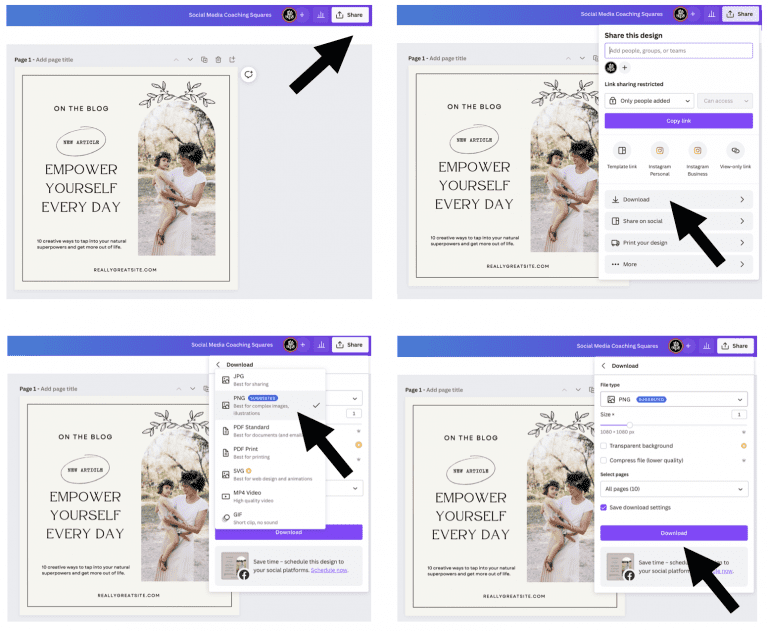
Save and Download : Once design is complete, it’s time to share it. In the upper right hand corner click the SHARE button which will open a dropdown. Click DOWNLOAD and you’ll be given the opportunity to select your file type. You can to share your design in any number of different formats from PNG, JPG, PDF, etc.