Borrow, Renew & Return

Find Materials

LibSearch

Library Search

Online Catalogue

  • Use LibSearch to find books, journal titles, and media resources in the library.

  • Provides access to important information like call number, item status, and location.

  • Search by author, title, keywords, or a combination of fields.

  • Note the title and call number to retrieve materials from the shelves.

Other Resources

  • Includes online databases, eBooks, and micro materials.

  • Explore additional references in the eResources Collection section.

How to Retrieve Materials from the Shelves

  • Books are arranged by Call Number (Library of Congress Classification System) and grouped by item type.

  • Most books are found in the General Collection at the Ground Level (PSB New Building).

  • Items may also be located in specialized collections based on subject, material type, or academic program.

  • More details in Library Collections.

Unable to Locate Items on Shelf

  • If an item shows available but cannot be found, visit the Customer One Stop Centre for assistance.

  • Library staff will search for the item and provide status updates within 3 working days.

Borrows & Reservations

Borrow Books

  • Borrow books and items using Self Check Machines located at strategic spots in the library.

  • Alternatively, you can take the items to One Stop Centre Desk for assistance from the library staff.

Loan Eligibility

User Category

Items

No. of copies

Durations

Undergraduate Students

Books (General Collection)

10

14 days

Books (Northern Triangle Collection)

1

2 hours

Cassette and Kits*

15

3 hours

Diskette*

5

14 days

CD-ROM*

5

3 hours

Transparency*

5

3 hours

Video*

5

3 hours

Off-Campus Students

Books (General Collection)

10

30 days

Books (Northern Triangle Collection)

1

2 hours

Cassette and Kits*

15

3 hours

Diskette*

5

14 days

CD-ROM*

5

14 days

Transparency*

5

3 hours

Video*

5

2 hours

Postgraduate Students

Books (General Collection)

20

30 days

Books (Northern Triangle Collection)

1

14 days

Cassette and Kits*

15

3 hours

Diskette*

5

3 hours

CD-ROM*

5

14 days

Transparency*

5

3 hours

Video*

5

3 hours

Academic Staff (Permanent)

Books (General Collection)

30

90 days

Books (Entrepreneurial Collection)

3

2 hours

Books (Northern Triangle Collection)

3

60 days

Video & Transparencies*

5

7 days

Kit & Cassette*

15

7 days

Diskette & CD-ROM*

15

60 days

Academic Staff (Part-time)

Books (General Collection)

15

30 days

Books (Northern Triangle Collection)

3

60 days

Video*

3

7 days

Transparencies*

5

7 days

Kit, Cassette & CD-ROM*

10

7 days

Diskette*

10

30 days

Academic Staff (Tutor & Temporary)

Books (General Collection)

15

60 days

Books (Northern Triangle Collection)

3

60 days

Video*

3

7 days

Kit & Cassette*

10

7 days

Diskette & CD-ROM*

10

30 days

Transparencies*

5

7 days

Academic Staff (Seconded)

Books (General Collection)

30

90 days

Books (Northern Triangle Collection)

3

2 hours

Video & Transparencies*

5

7 days

Kit*

15

7 days

Diskette*

15

60 days

CD-ROM*

10

60 days

Cassette*

10

60 days

Academic Staff (on study leave (local))

Books (General Collection)

20

90 days

Permanent Administrative Staff

Books (General Collection)

10

60 days

Temporary / Contract-based Administrative Staff

Books (General Collection)

10

30 days

Retired Staff (registered member)

Books (General Collection)

2

60 days

Reservation

  • Book reservations can be made through Library Account.

  • Search for the book, then reserve or request it if it is already checked out.

  • Check reservation status. The status will show “Ready to pickup” if available.

  • A notification email will be sent to the user when the item is ready.

  • Reserved items can be collected from the One Stop Center Desk within 4 days.

  • If not collected within 4 days, the item will be returned to the shelves.

Renew

  • Through Telephone

    • Call: 04 – 9283628  (One Stop Centre Desk).

    • Request must be made 5 days before due date.

    • Provide: Name, ID number, item accession number, title.

  • Through Online

    • Login to library account.

    • Enter: Name, Student/Staff ID, Password (same as UUM Portal ID).

    • Options:

      • Renew all items OR

      • Tick specific items → click Renew.

    • Confirm by clicking Yes to proceed.

Returning & Overdue

Returning

  • Borrowed books can be returned via the Book Drop Machine or at the One Stop Center Desk.

  • Users must return items by or before the due date to avoid fines.

  • An automated reminder email will be sent 2 weeks before the due date.

Overdue

Collection Category

Fine

General Collection

20 cents per day

Serial Collection

RM 1.00 per day

Closed Access Collection

RM 1.00 for the 1st 15 minutes & RM 2.00 for the 2nd 15 minutes

Media Collection

20 cents per items per day

If overdue, borrowed books must be return for the fines to be checked into our system. Payment can be made after 24 hours the book returned.

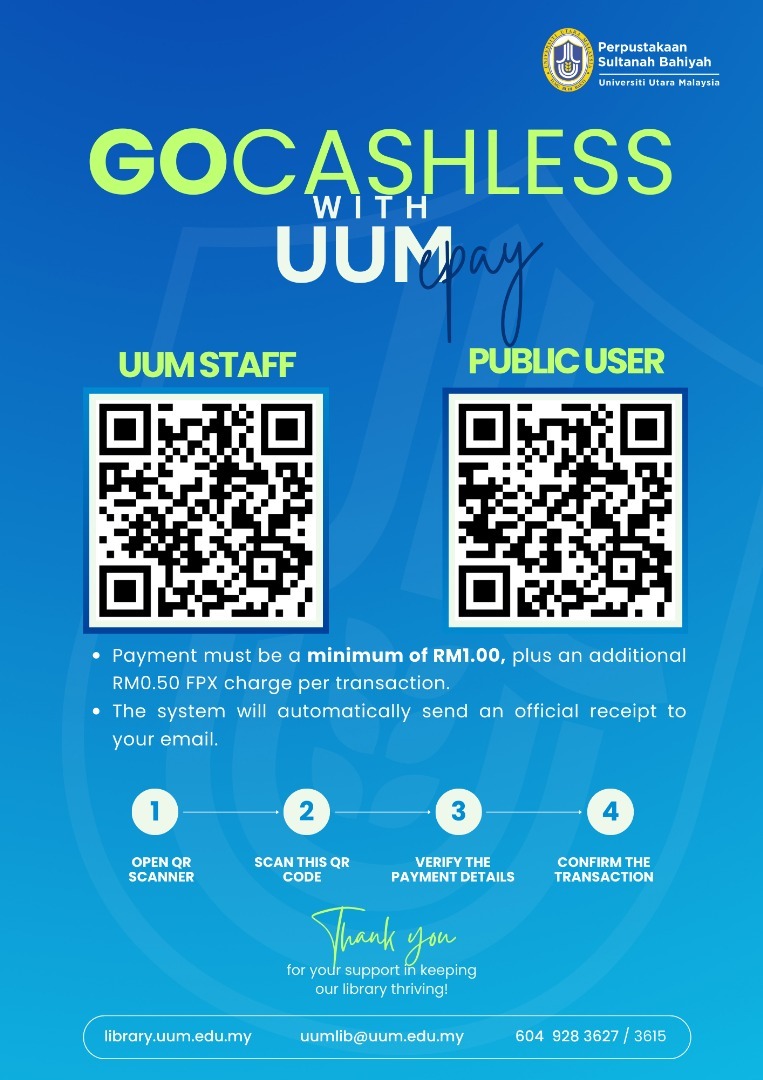
Online Fine Payment

If overdue, borrowed books must be return for the fines to be checked into our system. Payment can be made after 24 hours the book returned via QR Code / link provided.

For further information, please contact:

Lost Items

  • You are responsible for any items borrowed.

  • Report lost library materials immediately to the One Stop Center Desk.

  • You can either pay the current replacement cost or provide a replacement item.

  • For lost items, a penalty of double the cost will be applied.

  • Refer to Customer Service Unit.

Person In Charge

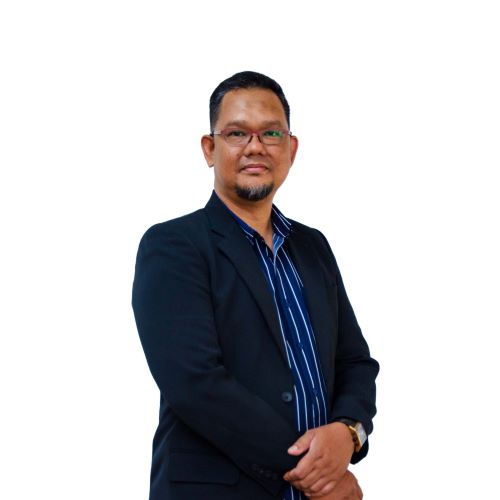
Azlina Ahmad

Azlina Ahmad

Librarian Assistant (S3)
Skip to content